> For the complete documentation index, see [llms.txt](https://docs.suite.tech/llms.txt). Markdown versions of documentation pages are available by appending `.md` to page URLs; this page is available as [Markdown](https://docs.suite.tech/sui-sniper-bot/configuration/configuring-buy-gas-price.md).
# Configuring Buy Gas Price
To configure Buy Gas Price follow these steps:
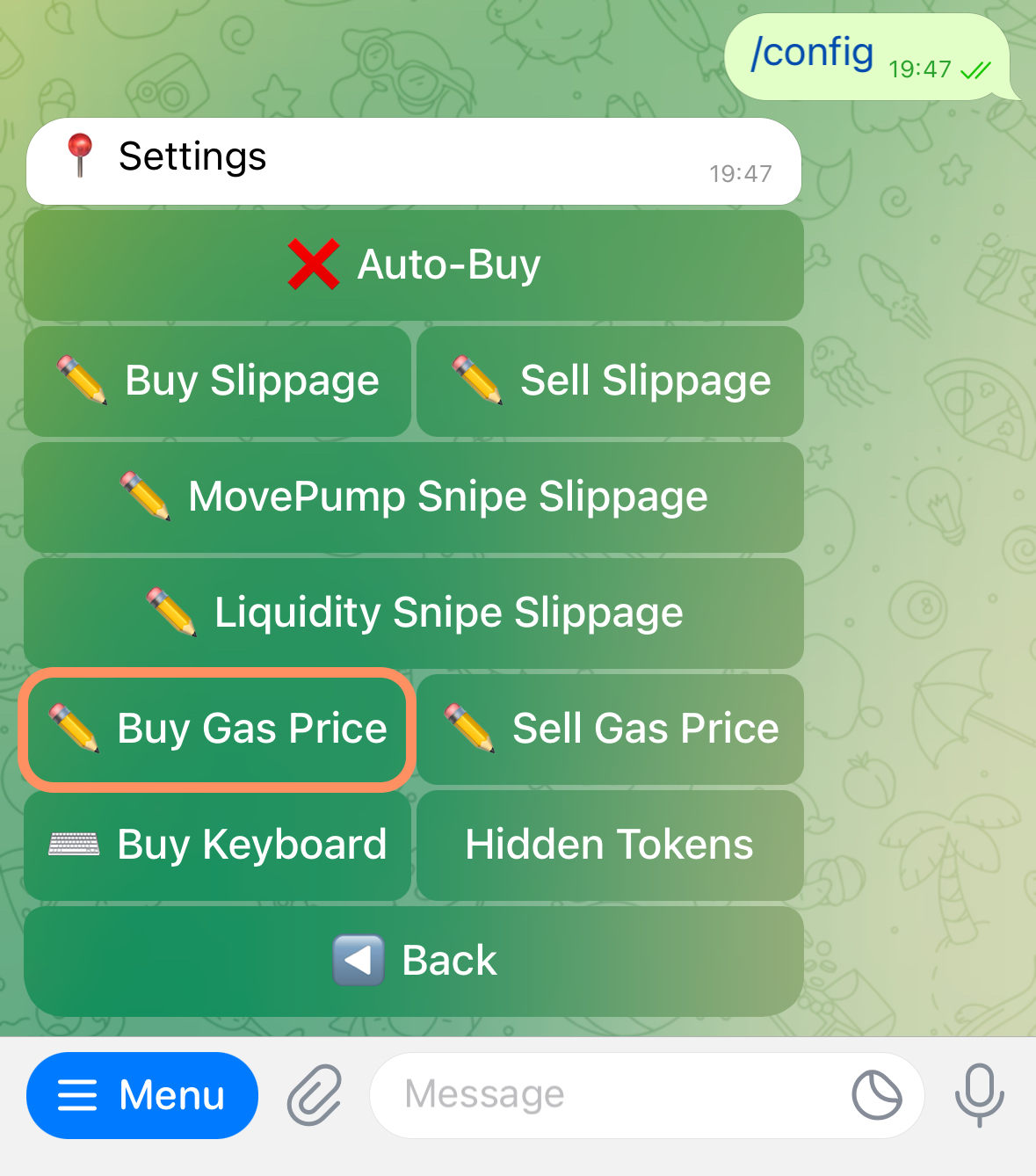
1. **Go to settings -** Press Menu and choose "Configure Settings"
2. **Press "Buy Gas Price"**
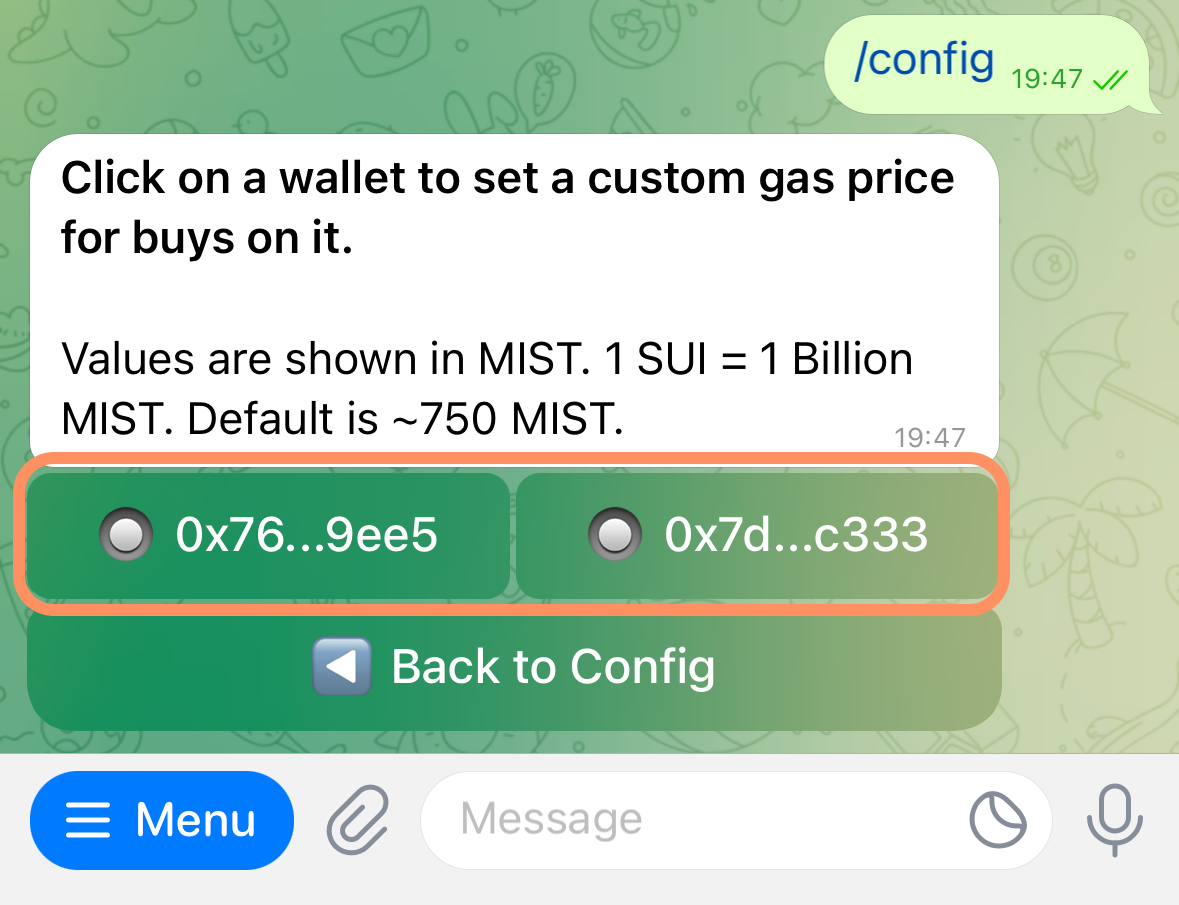
3. **Select the wallet you want to configure the setting for**
Step 1
Step 2
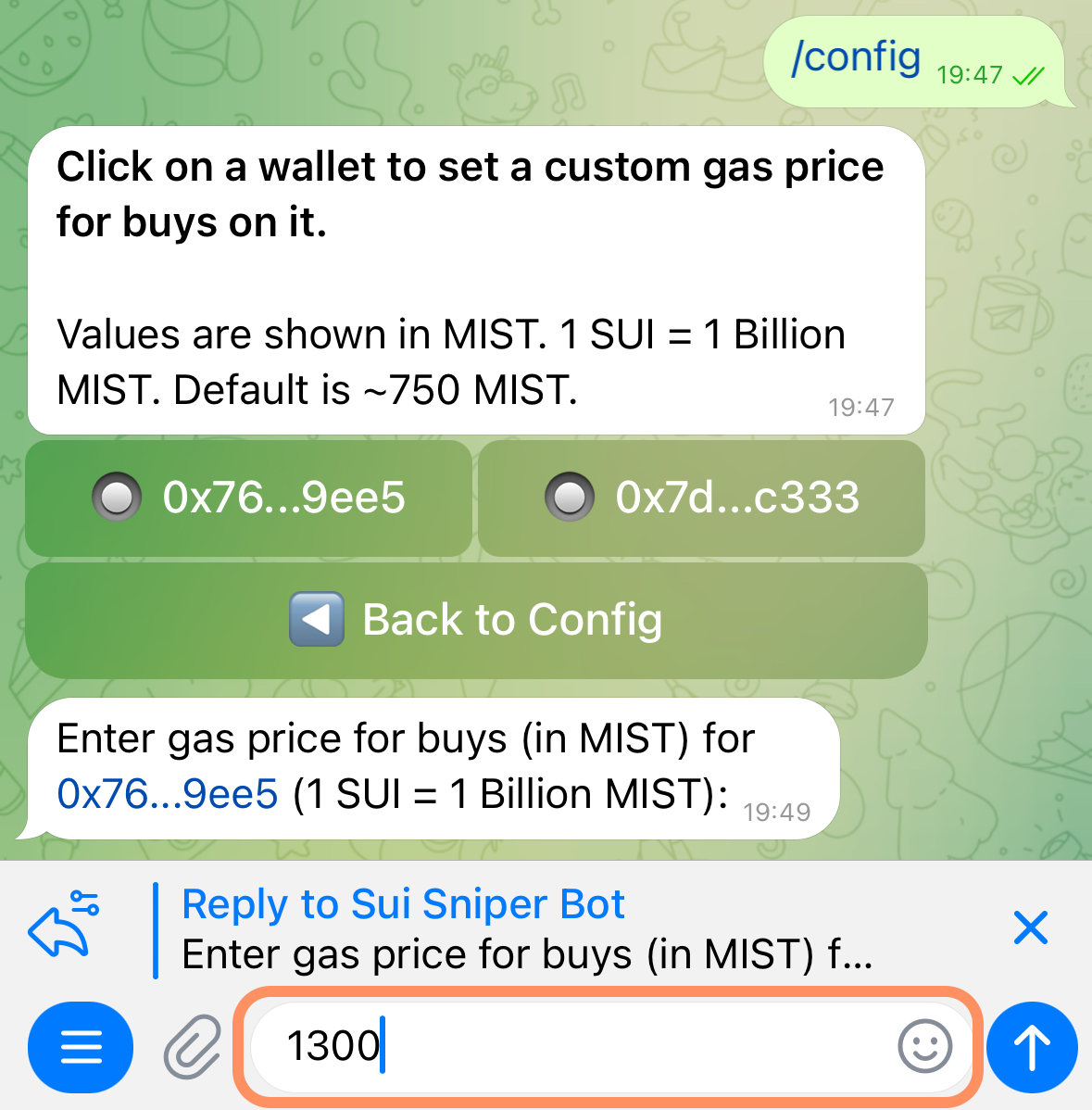
Step 3
4. **Enter the desired gas price (in MIST)** - just like gwei on ETH, MIST is a small unit on SUI. 1 SUI = 1'000'000'000 (1 billion) MIST
5. **Verify value update -** You will see the set number next to the wallet address that you set it for.